
📅 When Will iOS 26.2 Arrive
- The final public release of iOS 26.2 is expected in December 2025.
- Until then, Apple has rolled out multiple betas (Beta 2 and Beta 3) for developers and testers.
If you have an iPhone compatible with iOS 26, you’ll be able to update when 26.2 goes live officially.
✅ Main New Features & Improvements in iOS 26.2
iOS 26.2 brings several enhancements across system design, native apps, and usability. Here are the standout changes so far:
✨ 1. More “Liquid Glass” Customization (Lock Screen & UI)
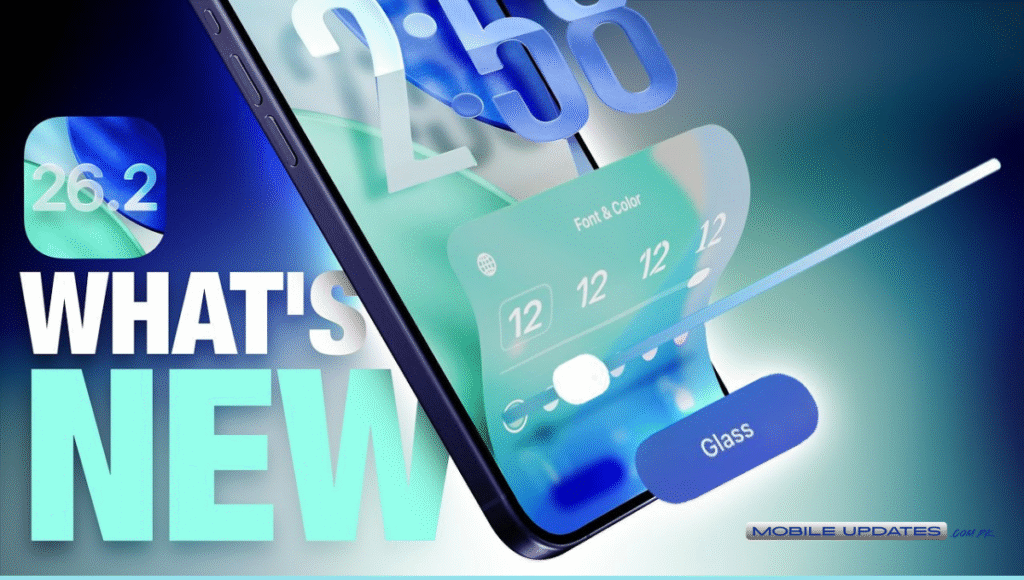
- A new “Liquid Glass slider” for the Lock Screen lets you adjust the transparency of the clock — you can make it frosted, glassy, or opaque according to your preference.
- This is part of the broader “Liquid Glass” design language introduced in iOS 26, which refreshes the iOS UI with translucent, refractive, glass‑like elements.
📝 2. Smarter Reminders with Alarm Option
- In the built-in Reminders app, you can now mark a reminder as “Urgent”. This triggers a true alarm rather than just a notification — useful for important tasks or reminders that must not be missed. 🎙️ 3. Enhanced Media & Content Apps
- In Apple Music you get offline lyrics support — lyrics are available even without internet access.
- The Apple Podcasts app now automatically generates chapters for all episodes (using transcript + Apple Intelligence), which is great for easier navigation in long podcasts.
- Other built-in apps like Freeform (whiteboard & notes), Apple Games, and Apple News also get UI and feature updates under 26.2.
📤 4. One‑Time AirDrop Codes — Easier File Sharing
- A new AirDrop feature lets users generate a one-time AirDrop code. You can share this code with someone (even if they’re not in your contacts) and exchange files securely — valid for 30 days.
- This improves convenience and privacy, especially when sharing files with strangers or acquaintances.
🛞 5. Better Apple Intelligence + System & Utility Tweaks
- Improvements across core apps and utilities — including updated UI animations, background performance optimizations, and likely improvements to system stability & battery use under 26.2.
- For users of features like sleep tracking (with watchOS), 26.2 adjusts sleep‑score ranges and refines health data calculations.
⚠️ What to Know / Possible Issues & Considerations
- Because iOS 26 and its “Liquid Glass” UI overhaul is big, some users previously reported battery‑life issues after the update. While 26.2 refines the system, it’s wise to check battery usage after installing.
- Some new features may be device‑dependent — older iPhones might not support every enhancement (especially performance-heavy or AI‑driven features).
📲 How to Update to iOS 26.2 — Step by Step
- Backup your iPhone data — via iCloud or computer (always recommended before major update).
- Go to Settings → General → Software Update.
- If iOS 26.2 is available, tap Download & Install.
- Wait for the update to complete — your iPhone will reboot.
- Once updated, explore new features: Lock Screen settings, Reminders, Apple Music, AirDrop, etc.
💡 Tip: If you want early access, you can install the public beta once Apple opens it — but expect the usual minor bugs until final release.
🧑💻 Who Should Update — And Who Might Wait
✅ Update If You:
- Use iPhone for daily tasks, media, work, or podcasts.
- Want the latest features — offline lyrics, improved Reminders, AirDrop code sharing, UI improvements.
- Use built‑in Apple apps heavily (Music, Podcasts, Reminders, etc.).
⚠️ Delay If You:
- Rely heavily on battery life (until update stabilizes)
- Have older hardware — may face reduced performance
- Depend on “always-on” stability (business apps, critical services) — wait a few days and read user feedback first
Also Read More: Huawei Mate 80 RS Ultimate — Full Review & Expected Price in Pakistan
